
Enterprise File Sync and Share (EFSS)

Enterprise File Sync and Share

Access control and enforcement
Replacing legacy file sharing
Trusted by 200,000+ businesses worldwide

.png)
.png)

Core Platform Capabilities
File Access and Synchronization
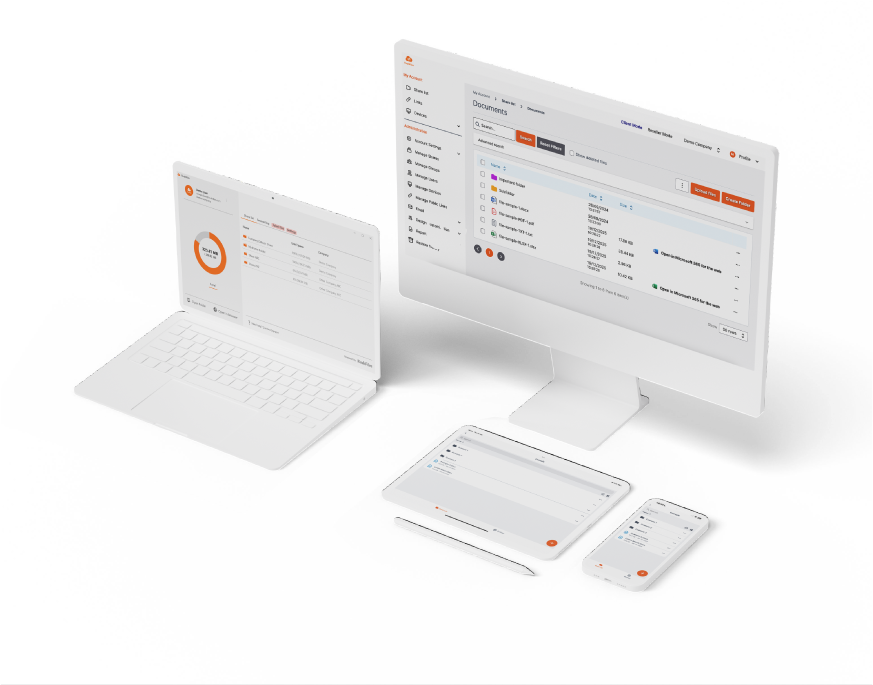
On desktop systems, users work with files using:
Controlled Sharing and External Access
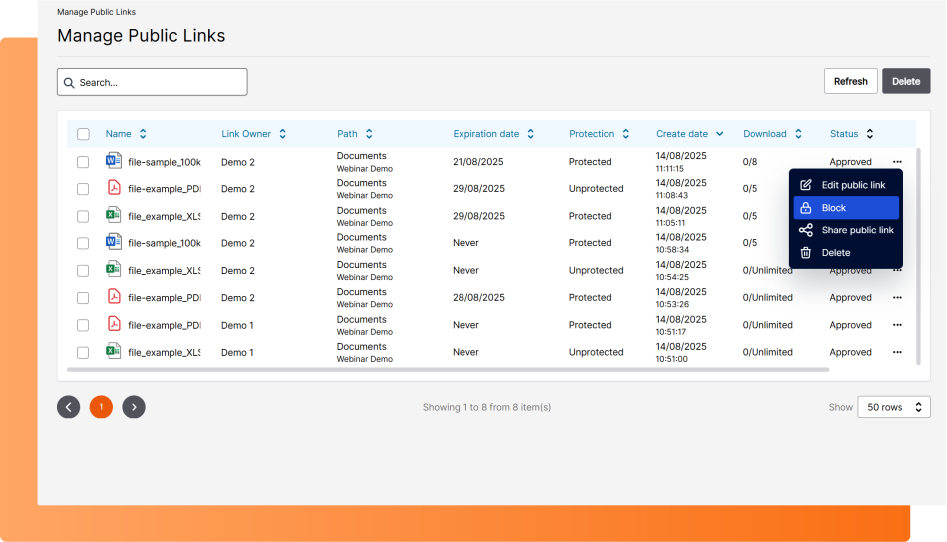
Public sharing is supported through controlled links with configurable expiration, password protection, and download limits. Access enforcement can be applied based on user identity, group membership, device approval, or network restrictions. All sharing and access activity is logged and remains traceable.
Versioning, Recovery, and Data Integrity
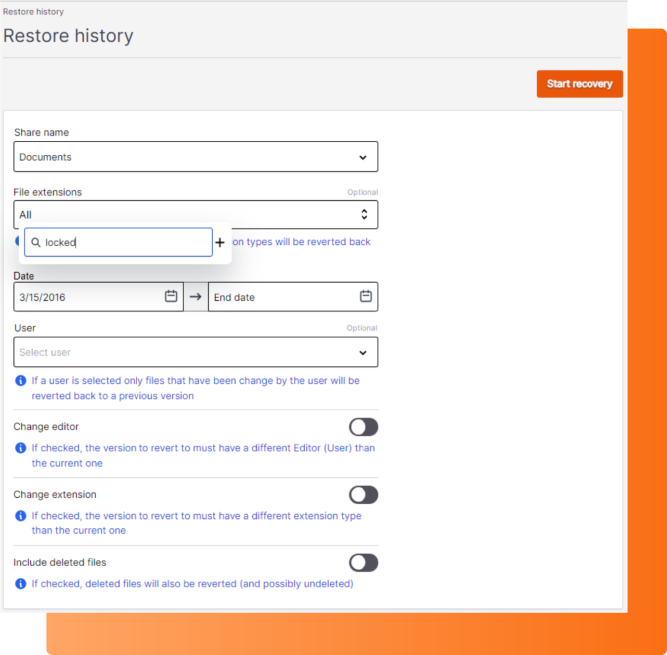
Files are automatically versioned, allowing administrators and users to:
In ransomware scenarios, recovery is performed using historical versions.
Recovery behavior is enforced consistently across all users, devices, and access methods, ensuring predictable operation in day-to-day use and incident response.
Auditability and Operational Visibility
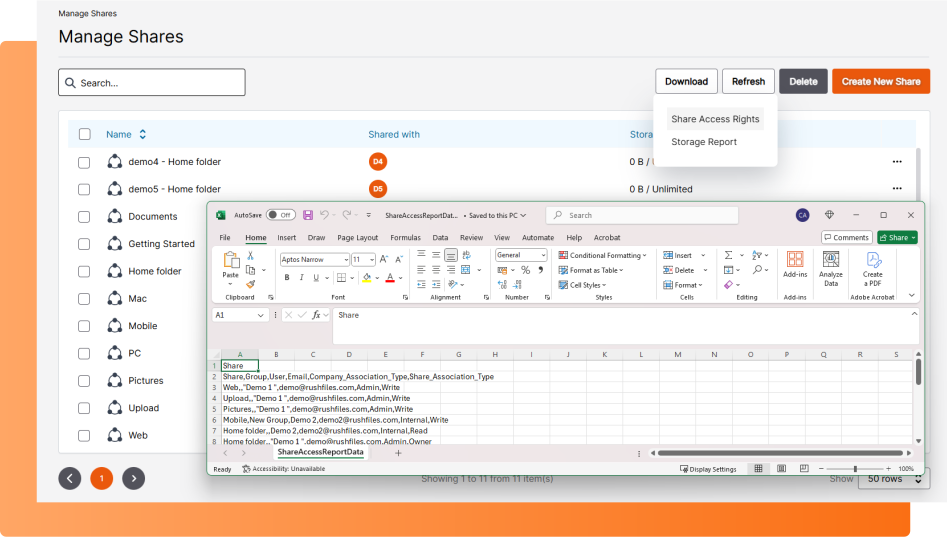
Audit logs are exportable and structured to support compliance audits, incident response, and operational review without additional tooling.
RushFiles EFSS Platform Walkthrough
RushFiles Architecture
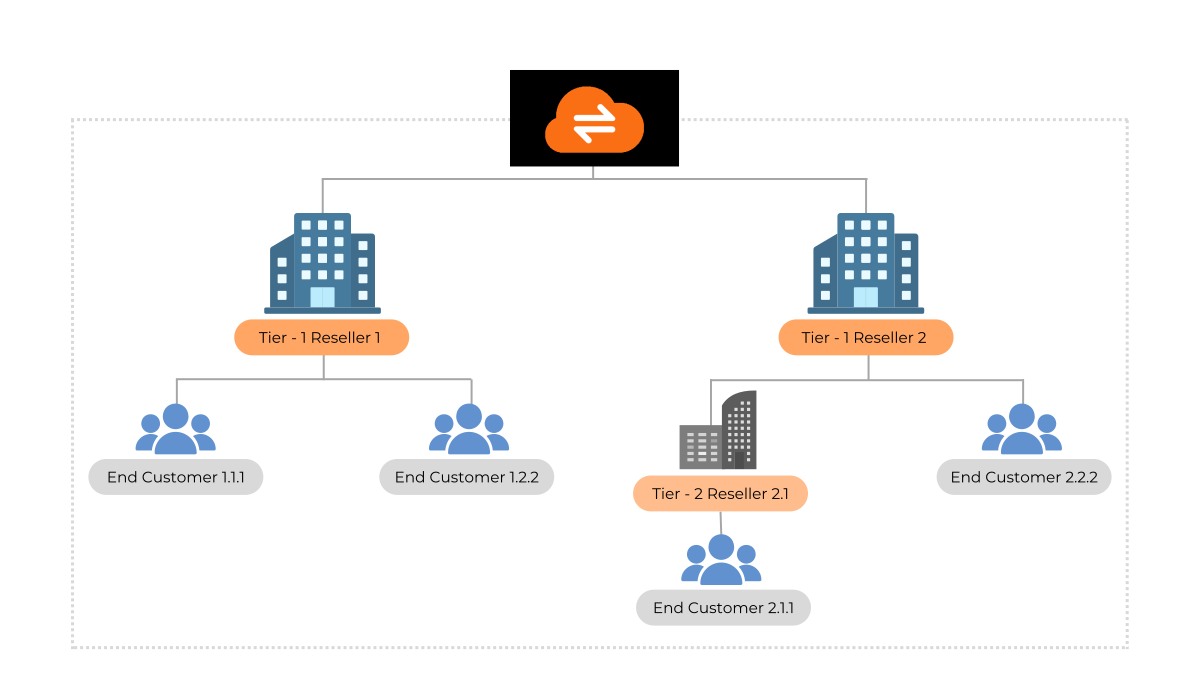
Client Isolation
Isolation is enforced at the platform level and applies consistently across storage, access control, and audit data.
Identity and Access Integration
Supported integrations:
Centralized Policy Enforcement
![[headshot] image of customer (for a grocery store)](https://cdn.prod.website-files.com/image-generation-assets/515f86e4-38d2-45aa-96ed-6cbaeca76a83.avif)
Security and Governance
Encryption and Access Protection

Data Protection and Recovery

Compliance Readiness

What our partners say:
RushFiles empowers businesses to securely manage their data, whether migrating from physical on-premise servers or seeking an alternative to consumer-grade cloud storage.
The ease of management and overall support from RushFiles has been great - we have never once felt like a customer of theirs, it extends further than this.
RushFiles Virtual drive technology allows me to limit the use of my local (an expensive) SSD. Having the ability to share files in multiple locations is perfect when dealing with multiple entities located in different countries. The transfer speed is perfect locally, while still allowing access from anywhere in the world.
RushFiles will not only bring a new revenue stream to your business but will also help drive high-profit margins that are not available with a lot of more famous brands, that offer inferior services. The ability to easily onboard partners has been key to our success!

RushFiles had technical advantages than the other solutions that we compared it with. The ease of use, multi-tenancy, and the price was especially acceptable.
Our customers now use their file shares in an easy way, in any location on any device.
Rushfiles is the correct product to add to our company and share with our MSPs. It is simple and robust, making it easy for our team to sell, use, and support. With strong security and encryption, Rushfiles aligns with our market needs, providing a better cost and secure option compared to other solutions.
Choose How You Deploy RushFiles
Hosted by RushFiles
RushFiles operates the platform infrastructure, including hosting, updates, and availability. File sharing is delivered as a managed service without requiring you to run or maintain servers.
EXPLORE HOSTED OPTION
Hosted on secure EU infrastructure.

No server maintenance required.

Remote access from any location.

On-Premise (Self-Hosted):
RushFiles runs on infrastructure you control, allowing storage location, access policies, and compliance configuration to be defined locally. The platform integrates into existing systems and operational processes.
EXPLORE SELF-HOSTED OPTION
Fully self-managed and customizable.

Data stays within your infrastructure.

Direct integration with local systems
FAQs
Enterprise File Sync and Share (EFSS) is a platform that allows organizations to store, synchronize, and share files across users, devices, and locations while maintaining centralized control over access and activity. Unlike consumer file-sharing tools, EFSS platforms include administrative oversight, identity integration, and audit visibility, allowing organizations to manage file access and collaboration without losing control over corporate data.
Generic file sharing platforms focus on simple storage and sharing for individuals or small teams. Enterprise file sync and share platforms are built for managed environments and provide centralized administration, identity integration, and policy enforcement across users and devices. This allows organizations to maintain governance over file access while supporting secure collaboration internally and with external partners.
Enterprises secure file sharing by using platforms that enforce controlled access, encrypted file transfer and storage, and full visibility into file activity. These systems allow administrators to monitor how files are accessed and shared while maintaining consistent security policies across users, devices, and external collaborators.